
Select the period and trips
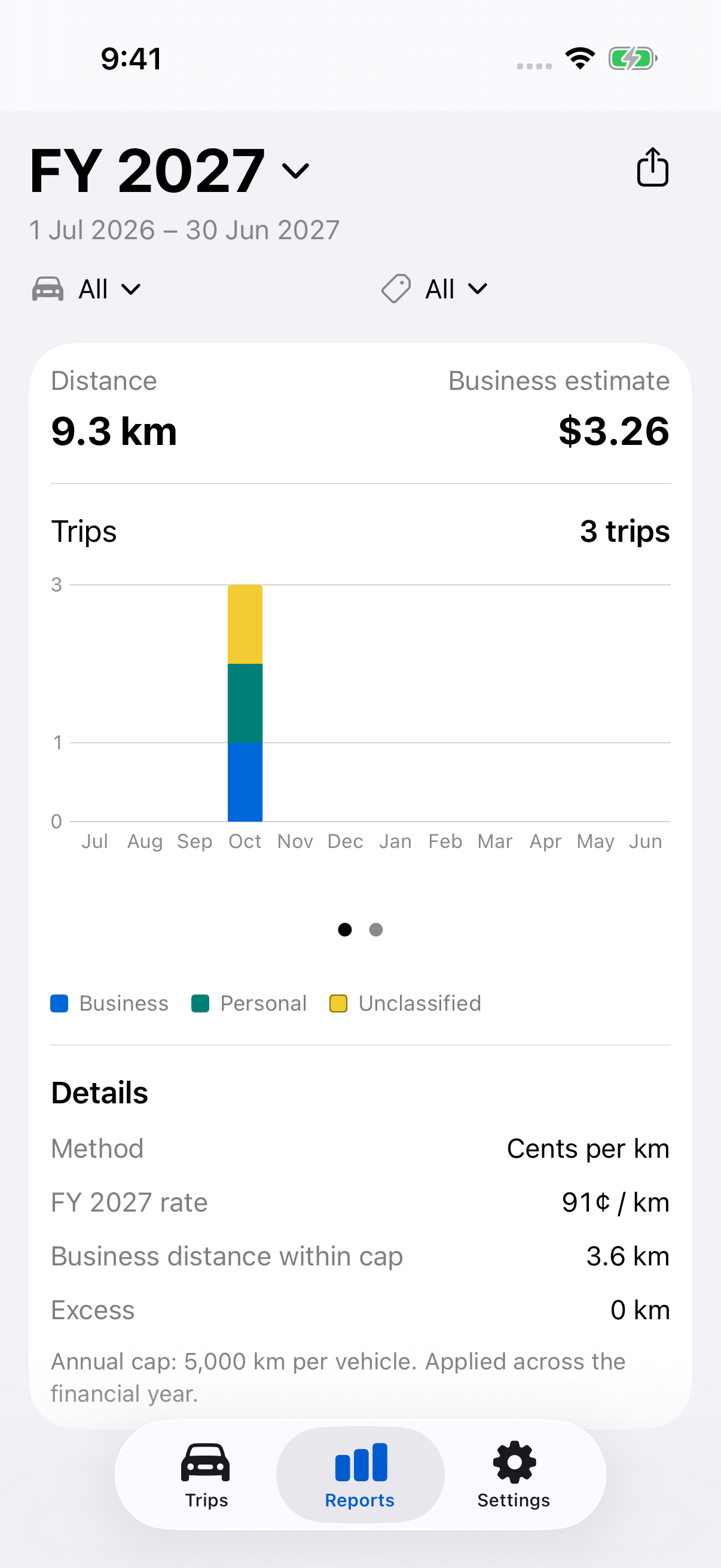
- Open Reports and tap the period at the top.
- Choose Month or Financial year. With Logbook or Custom selected in Rates, you can also choose 12 weeks or Custom dates.
- For 12 weeks, set the start date and tap Use 12-week period. For Custom, set From and To, then tap Use these dates.
- Select the Vehicle and Classification filters where available.
Logbook uses one vehicle and all classifications. Other methods allow all vehicles or one vehicle, and All trips, Business, Personal or Unclassified.
Reports includes completed trips in the selected period by their start date. It remembers its period separately from the Trips tab. A 12-week period can still be in progress; check the displayed dates. Cents/km calculations use financial-year context even when you view a month.
Review the results
Check trip counts, distances, the activity chart and the method’s summary. Review warnings about unclassified trips, estimated distances, missing purpose details or odometer records where shown.
- Classify trips
Correct Business, Personal or Unclassified entries before exporting. - Record odometer readings
Check actual readings used by Logbook and distinguish them from estimates. - Change rates
Choose the method and custom rates used throughout the app.
An unavailable value means the required data or rate is missing; it is not a zero. For Logbook, review Records to check and the actual period and annual odometer details.
Choose a report type
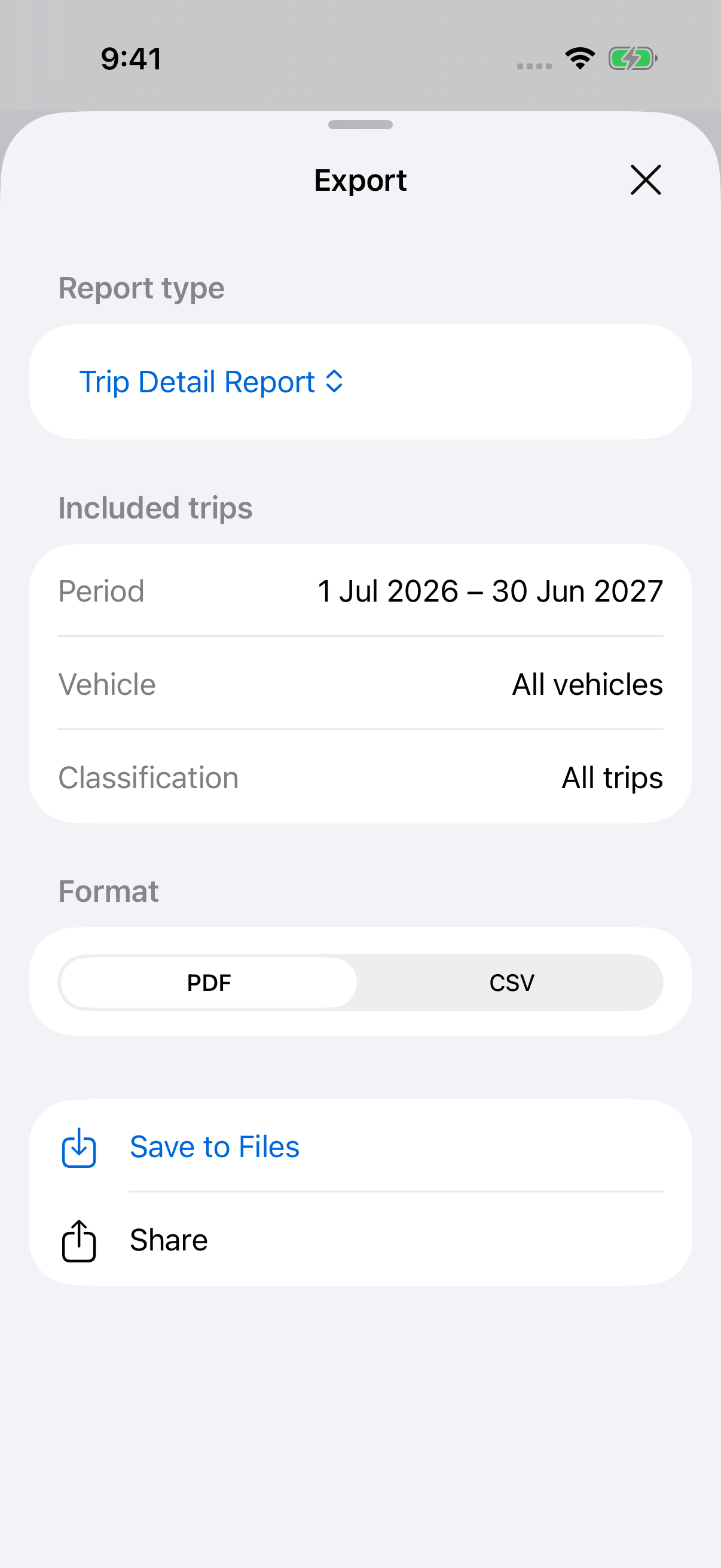
Tap the export icon at the top right, then choose Report type.
| Report | Contents |
|---|---|
| Trip Detail Report | Classification, start and end date/time, From, To, vehicle, registration, distance, Notes and Tags. |
| ATO Report with Cents/km | Trip details plus the rate and estimated value using the Australian method. |
| ATO Report with Logbook | Trip details plus estimated trip odometers and logbook summaries based on the actual readings available. |
| Custom Rate Report | Trip details plus the dated custom rate and estimated value. |
Trip Detail Report is always available. The other choice is ATO Report with Cents/km or Logbook, or Custom Rate Report with Custom. All types include Notes and Tags.
For ATO or Custom Rate reports, Report method → Change opens Rates. A change applies throughout LogMetric, so check the resulting method and filters again.
Save or share the export
- In Export, check Included trips: Period, Vehicle and Classification. Close Export to change those filters.
- Choose PDF for a formatted report or CSV for spreadsheet use.
- Tap Save to Files and choose a folder, or tap Share and choose a destination.
Export is unavailable when no completed trips match. Check the period and filters, and allow any current trip to finish.
Reports reflect the saved records and selected settings when generated. They are not restorable app backups. For logbook record-keeping, follow the 12-week guide and check the relevant ATO requirements before using a report for a claim.
Still need help?
If you can’t find what you’re looking for, we’re here to help.
Contact us