
Choose a method
Open Settings → Rates and select a method. The selection saves immediately.
| Method | Use in LogMetric |
|---|---|
| Cents/km | Uses the Australian rate for the trip’s start date. The available rate table is read-only. |
| Logbook | Shows trip counts, distance and duration in Reports, without dollar estimates. ATO exports include estimated trip odometers. |
The selected method applies to trip estimates and Reports throughout the app. It does not change a trip’s classification.
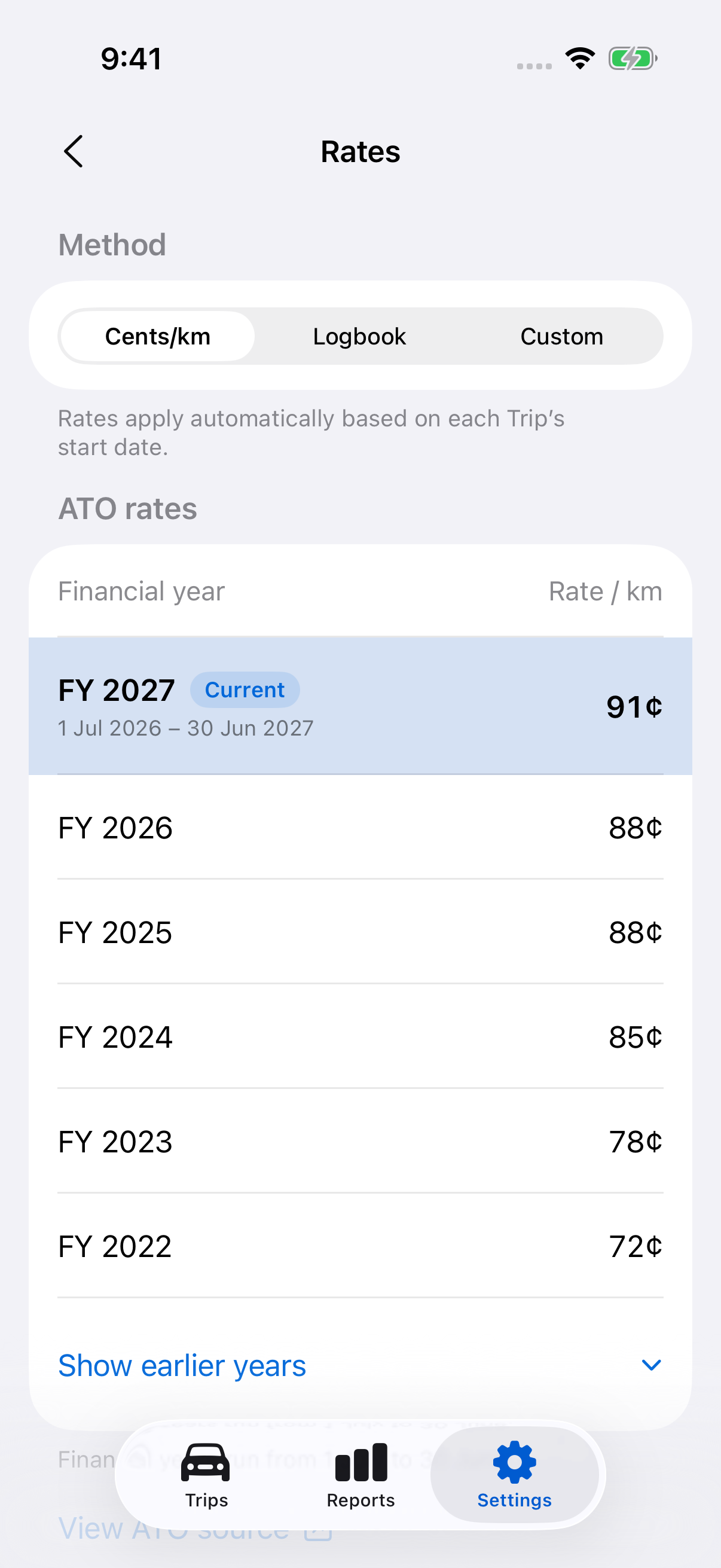
Check Australian rates
Select Cents/km to view rates by financial year. Use View ATO source to check the official ATO rate information.
Australian rates cannot be edited here. If a rate is unavailable for a trip’s date, the app shows the estimate as unavailable.
Still need help?
If you can’t find what you’re looking for, we’re here to help.
Contact us